Offline Knowledge for a Power Outage: What to Save
Build your plan for Blackout
Free, no sign-up, takes 5 minutes.
The last time the grid went down in your area for more than a few hours, a lot of people probably discovered something uncomfortable: without a connection, a phone stops being useful for almost everything. The battery was fine; what failed was the network. And with it went the map home, the dosage on the kids’ medicine, the number for the clinic and the manual for the furnace. Having offline knowledge is exactly the answer to that: a copy of the important information that lives on your devices and does not depend on the internet being up. At EmergencyKitLab we treat it as one more layer of the emergency plan, just like water or a flashlight.
You do not need to run a server or be a technician. Most of what you would reach for during a long outage fits on an old phone, and keeping it powered is easier than it sounds. Let’s go through it step by step, no rush and no drama.
What information disappears when the network goes down
We take it for granted because it is always a search away, but almost everything you look up in an emergency lives online, not in your head or on your phone:
- How to get places. Google’s maps load on the fly. Without data, they go blank exactly when you need them most: to get home by an alternate route, to find the nearest clinic, or to know which roads to avoid.
- What to do about a health problem. Doses by weight, signs of dehydration, how to handle a burn or heat exhaustion. You look it up in the moment, you don’t know it by heart, and at three in the morning with a feverish child that search will not load.
- How your equipment works. The manual for the furnace, the water heater, the generator, the breaker panel. It is almost always a PDF that is “somewhere” on the manufacturer’s site, and that site needs the internet too.
- Who to call. Numbers for family, your insurer, the clinic, the neighbor with a generator. If they only live in the cloud or in your call history, you depend on having coverage to get them back.
The idea behind offline knowledge is not to memorize everything or turn yourself into a walking encyclopedia. It is to download a copy to a device before you need it, so that a network outage does not leave you blind. It is the exact same logic as filling water containers before the power goes out instead of during.
What to save offline (and with what)

This is what actually moves the needle, ordered from most to least essential. You don’t need all of it at once; start at the top and work down as you get into it.
An encyclopedia: offline Wikipedia. It sounds like overkill until you think it through: how to purify water, first aid, which plants are edible, how to tie a rescue knot, how to jump-start an engine. With the free Kiwix app you download all of Wikipedia (or just the medical part, which weighs very little) and read it offline, search included. It is the foundation of any emergency library because it covers the questions you don’t even know you’ll have.
Downloaded maps. In Google Maps you can select your area and download it for use without data for weeks. For something more serious, Organic Maps or OsmAnd run on fully offline OpenStreetMap data, with walking and driving routes, trails and water sources. If you want a backup that never runs out of battery, pair the digital with a paper road map in the glovebox. For a deeper look at off-grid power, our best portable power stations for emergencies breakdown is worth a read.
Medical and first aid guides. Save as PDFs the protocols you already use at home: pediatric dosing by weight, managing dehydration, what to keep in the kit. Download them rather than leaving them open in a tab that will vanish the moment you close the browser or lose coverage.
Your appliance manuals. Furnace, water heater, generator, router, breaker panel. Download the PDF for each one and keep them together in a folder with clear names. The day something fails in the dark, you will not want to depend on the manufacturer’s site or on remembering the exact model number.
Your documents and contacts. A written list of important phone numbers (yes, on paper too), copies of your ID, insurance cards, policies, account numbers. Make sure they exist outside the cloud and outside a phone that is dead from a flat battery.
Where do you put all of it? A repurposed old phone is the best first step: install Kiwix and the maps, copy over the PDFs, and leave it charged in a drawer, in airplane mode so it doesn’t drain. If you want to step up to something more ambitious—full Wikipedia with images, courses, repair videos, maps of the whole country on a small home server—we walk through it step by step in the offline survival computer (Project NOMAD) guide. Here we focus on what to save and how to keep it powered; the technical build lives there.
The real bottleneck is not storage: it is power
Here is the detail almost nobody accounts for. You can have the best offline library in the world, but if the device dies on the second day, it does nothing for you. In a long power outage, the question is not how much information you store, but how long you keep it running. It is the same thing that happens with the fridge: the problem is rarely the food, it is the lack of cold, as we saw in the lessons from a 5-day blackout.
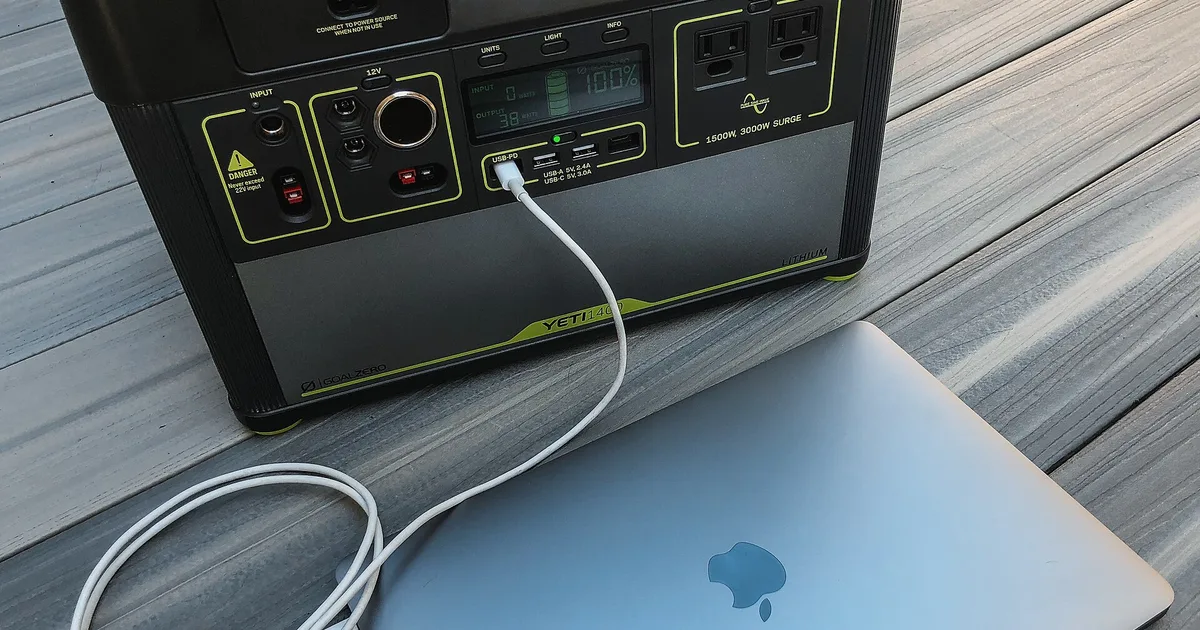
The math, fortunately, is reassuring. A phone draws very little: with a mid-size portable power station you recharge it dozens of times, which in practice means weeks of lookups. A laptop runs for several days in short sessions. And if you add a solar panel, you effectively have unlimited access as long as there is some sun on the window or balcony.
For most households, a station of around 1,000 Wh is the sweet spot: it keeps the information devices going, charges flashlights and radios, tops up an emergency radio for official alerts, and even covers a small appliance now and then. It is not the cheapest option, but it is the one that turns “I have information” into “I have information for the entire crisis.” If you are still deciding, our guide on preparing for a power grid failure puts the energy layer in context.
Where to get the gear from EmergencyKitLab
Rather than chase a single model that may be sold out tomorrow, start from the energy section of our pillar and the full power catalog. Both point you to current, in-stock options sized to what you actually want to keep running:
- Pillar (energy section): how to power an offline setup off-grid — the sizing rules, inverter losses and solar top-up explained.
- Power catalog: browse power stations, solar panels and lighting — curated gear with current prices.
If you live alone or want something light to keep just the phone and a flashlight going, you don’t need that much. A small station with its own solar panel covers the basic case, weighs little, and moves easily to another room or the car. It is the perfect entry point for anyone who wants to secure their offline knowledge without overspending or hauling around a big unit.
If you want to work out how much battery you really need for your case—based on the devices you want to keep running and the days you want to cover—our energy calculator estimates it in a moment and saves you from buying too much or coming up short.
EmergencyKitLab participates in the Amazon Associates Program. When you buy through our links we earn a small commission at no extra cost to you. We only recommend products we believe are useful to our readers.
How EmergencyKitLab fits it into the plan
At EmergencyKitLab we don’t see offline knowledge as a hobbyist’s gadget, but as one more layer of the same plan that covers water, light and food. The order we recommend is simple and can be done in a couple of afternoons:
- Repurpose an old phone. Install Kiwix with medical Wikipedia, download your county map, and copy over the PDFs of manuals and contacts. Leave it charged and in airplane mode.
- Solve the power. A portable station (with a panel if you can) turns that phone into a source of answers for days, not hours. It is the step most people skip and the one you notice most when the outage drags on.
- Keep a paper copy of the critical stuff. Phone numbers, addresses, basic dosages and a road map. Technology fails; paper never runs out of battery or needs an update.
- If you get hooked, scale up. When you want full Wikipedia, courses and national maps, build the offline survival computer with open-source software. It is not essential, but it is the natural next level.
The difference between a power outage lived calmly and one lived blind is almost never money. It is having downloaded a copy of what matters before needing it, just as water is stored while the tap still works.
If you want to see how all of this fits your specific situation—how many people, how many days, which scenario—the EmergencyKitLab planner builds you a custom list in a couple of minutes, energy included.
Plan for a power outage
Answer four questions and get a personalized list of power, water and supplies for the days you want to cover.
Create my free plan →Prices are indicative and may vary on Amazon.
Looking for products mentioned in this article?
Products reviewed by our team on Amazon, all rated 4+ stars.
Build your plan for Blackout
Exact quantities, verified products, and a personalized shopping list for Blackout. Free in 5 minutes.
Plan for BlackoutUS emergency preparedness editorial team
The EmergencyKitLab editorial team turns US emergency guidance into practical plans for hurricanes, tornadoes, wildfires, winter storms, earthquakes and extended outages. We focus on affordable household readiness, region-specific risks and products that perform under real conditions.
Frequently Asked Questions
How much offline knowledge really fits on an old phone?
Do I need a computer or a server to have Wikipedia without internet?
How long does a portable power station keep a phone running?
What if I just want the bare minimum without overcomplicating it?
Related Articles
Best Portable Power Stations for Emergency Power 2026
From 300Wh apartment units to 2000Wh whole-home backup. Real watt-hours, runtime by appliance, and which size fits your home and emergency.
9 min read5-Day Blackout: Real Lessons from Losing Power for a Week
True account of a 5-day power outage: the mistakes we made, what saved the situation, and what we changed afterward. Honest preparedness lessons.
7 min readHow to Prepare for a Power Grid Failure (Lessons from
Complete power outage preparation guide. Lessons from the 2021 Texas grid collapse, gear recommendations, and a step-by-step readiness plan.
12 min read